ATRF
Pensioner Profile
A self-serve beneficiary management feature created for ATRF’s MyPension portal.
Pensioner Profile brings sensitive beneficiary updates into a secure, guided Request Status Update flow for Members, Pension Partners, and Nominees, replacing phone-based support and mailed documents with clearer in-product steps.
- Client
- ATRF — Alberta Teachers’ Retirement Fund
- Project
- Pensioner Profile
- Product
- MyPension portal feature
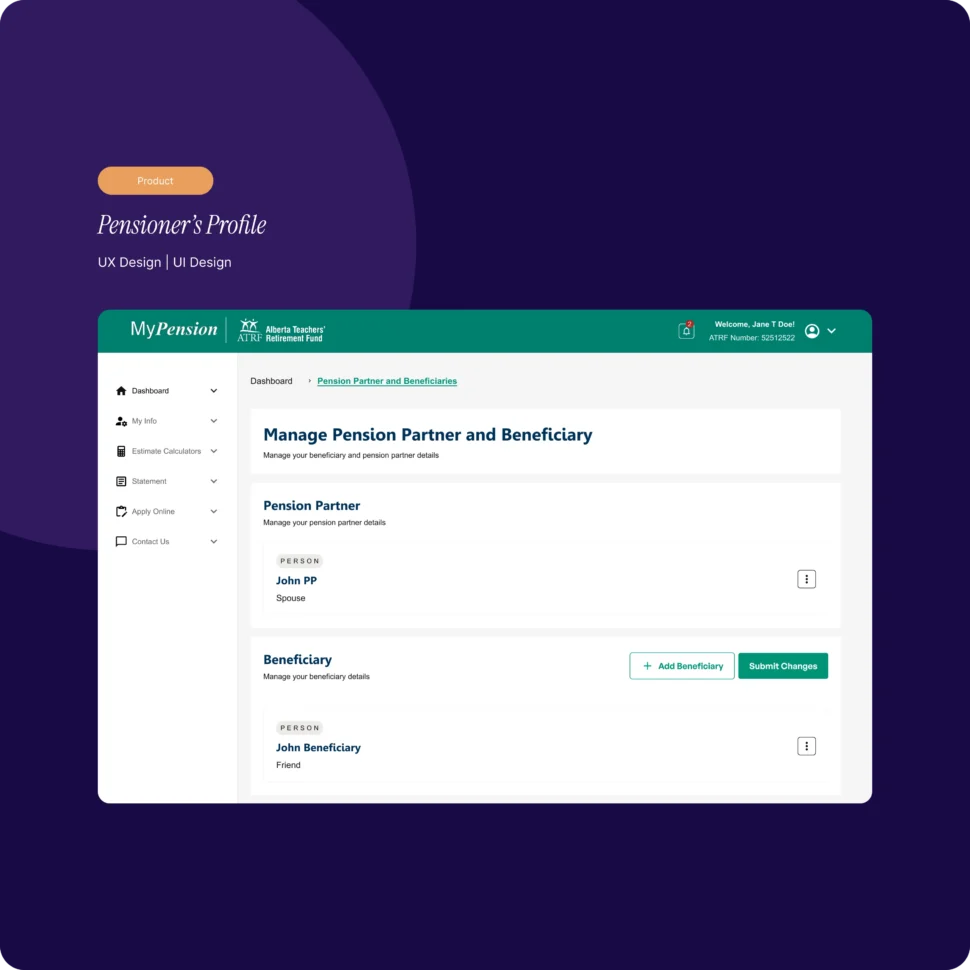
Project introduction
Project overview
A focused digital product feature for beneficiary management.
Pensioner Profile is a digital product feature created for ATRF’s MyPension portal. The work focused specifically on the Beneficiary module rather than a redesign of the wider ATRF website or platform.
The feature was designed to let Members, Pension Partners, and Nominees manage or review sensitive beneficiary information through a guided, self-serve experience.
The problem
Manual processes and fragmented role-based flows made critical updates difficult to understand.
Users often needed to call ATRF or mail physical documents to request beneficiary changes, creating delays, confusion, and support overhead.
Within the product, role-specific flows used inconsistent permissions and interface patterns. Users were frequently unsure what actions they could take, whether a change had been submitted successfully, and what would happen next.
Project goals
What the work needed to accomplish.
- 01Shift beneficiary management from support-led to self-serve
- 02Unify workflows across user roles while clearly communicating permissions
- 03Make request status, next steps, and outcomes explicit
- 04Improve accessibility for complex, form-heavy interactions
- 05Establish reusable patterns for future MyPension modules
The approach
A considered path from context to execution.
A unified, role-aware framework
A single beneficiary experience was designed across user roles, with interface states and messaging clarifying what each person could view, request, or manage.
Guided requests
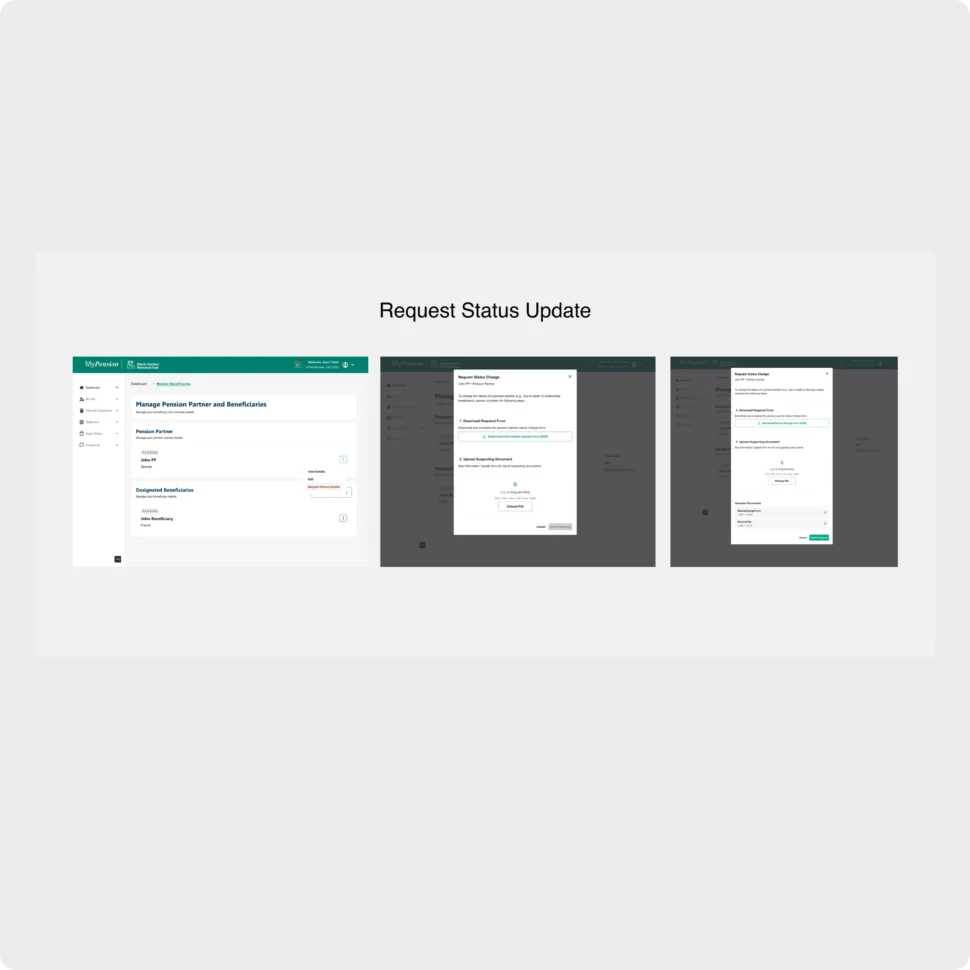
The Request Status Update flow organizes the task into selecting a change type, providing supporting details, uploading documents, and submitting the request for ATRF review.
Explicit feedback and reusable patterns
Permission messaging, explained disabled states, inline validation, and consistent success and error feedback were combined with shared MUI-based input, upload, and confirmation components.
The solution
One consistent beneficiary experience, adapted to each user’s permissions.
Members can create or request beneficiary changes through a step-by-step flow. Pension Partners can submit update requests with supporting documents through a secure form, while Nominees receive a read-only view using the same familiar layout.
After submission, the experience confirms success with a reference number and explains what happens next, making the request status and follow-up process more explicit.
- Role-aware view, request, and management states
- Structured Request Status Update flow
- Supporting document upload
- Inline validation and consistent feedback
- Shared MUI-based interface components
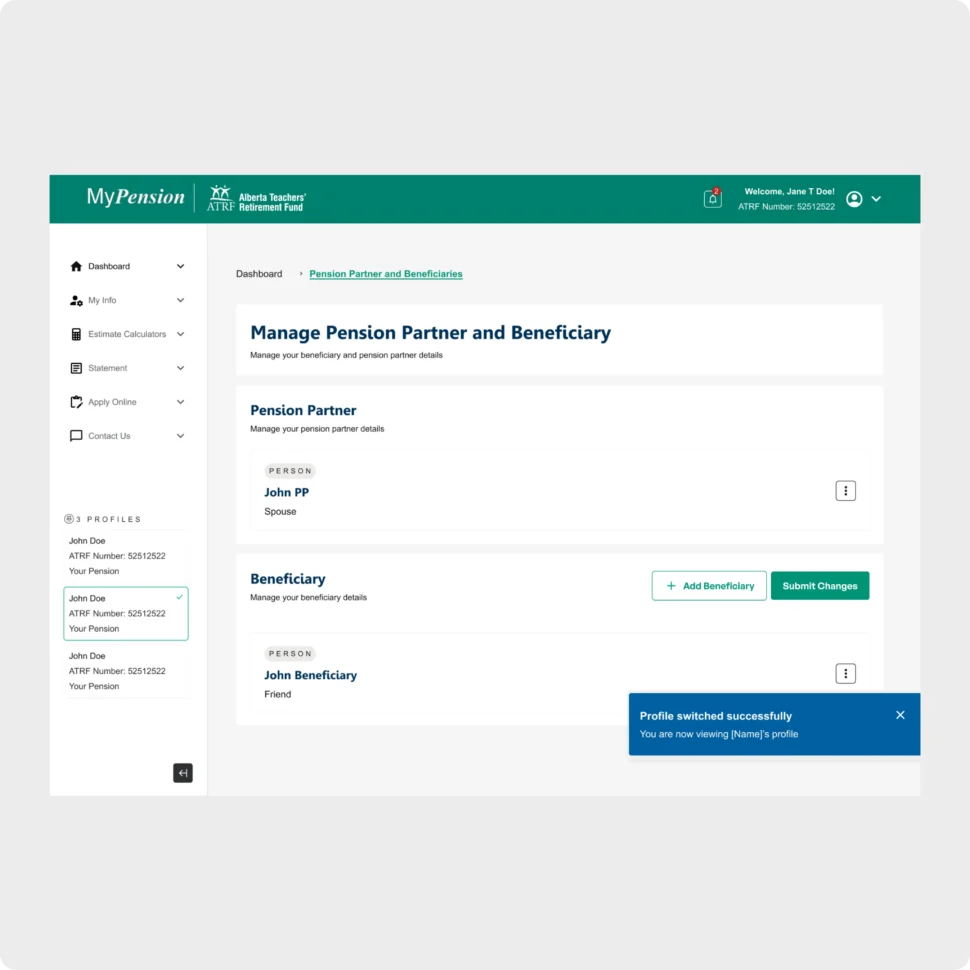
Beneficiary management — The shared profile view presents Pension Partner and Beneficiary information together, with available actions and submission feedback visible in context.
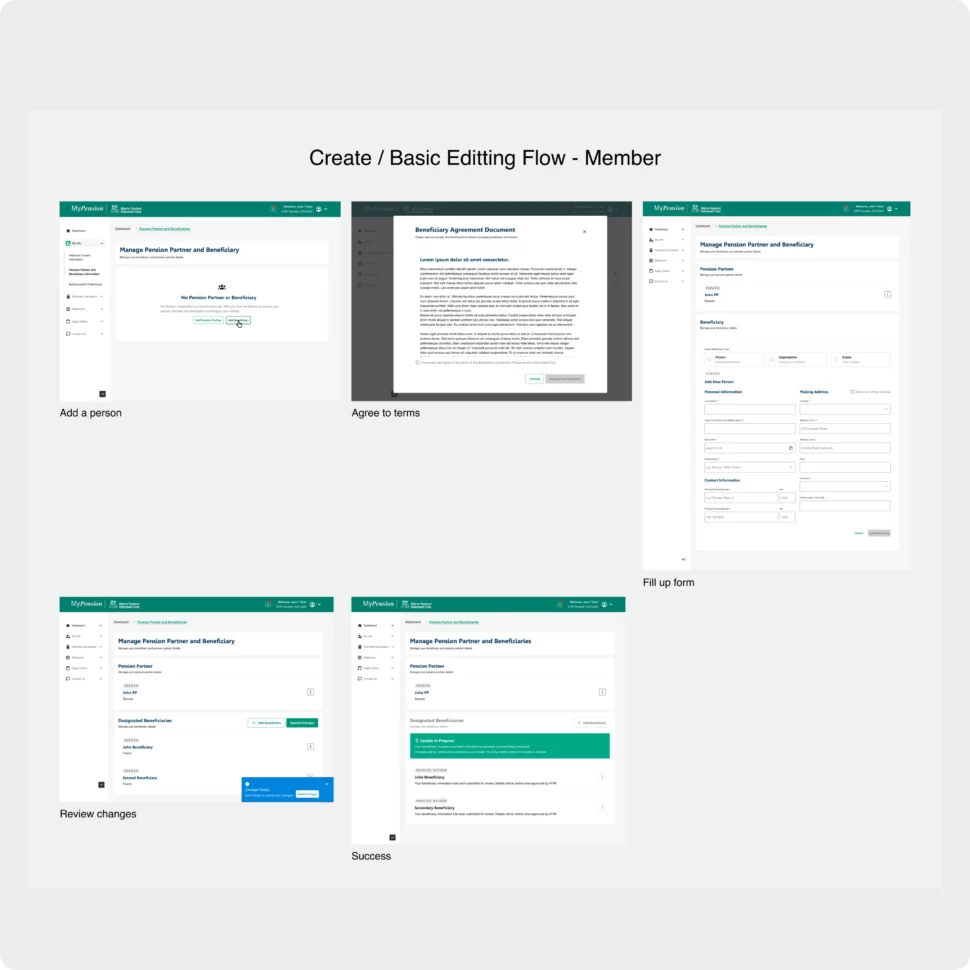
Guided member flow — The supplied flow shows the sequence from adding a person and agreeing to terms through form completion, review, and success.
Role-aware updates — The supplied screens document the member editing journey and the Request Status Update path for submitting details and supporting documents.
The outcome
A design foundation for self-serve beneficiary management.
Full development was paused due to budget changes. The completed design work established a consistent foundation for role-aware, self-serve beneficiary management, but the projected outcomes in the source material were not presented as achieved results.
Services provided
Related work
More from the studio.
Start a project
Have something similar in mind?
Tell us what you are building, what needs improvement, or where your team needs experienced support.